
Turn your party into an interactive music experience
Your guests request songs from their phones and vote together on what plays next. The music fits the group better – and you get to enjoy your party.
- No app and no login for guests
- Runs on your Spotify Premium
- Guest page in 17 languages
- Designed and built in Austria
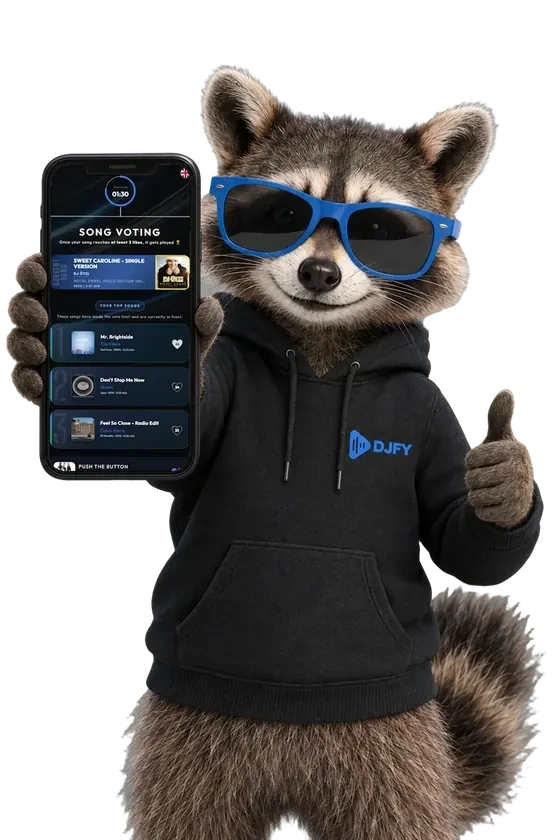
How DJfy works
Music your guests shape together
You connect DJfy to your Spotify, your guests request songs and vote. DJfy handles the rest in the background – explained in two minutes.
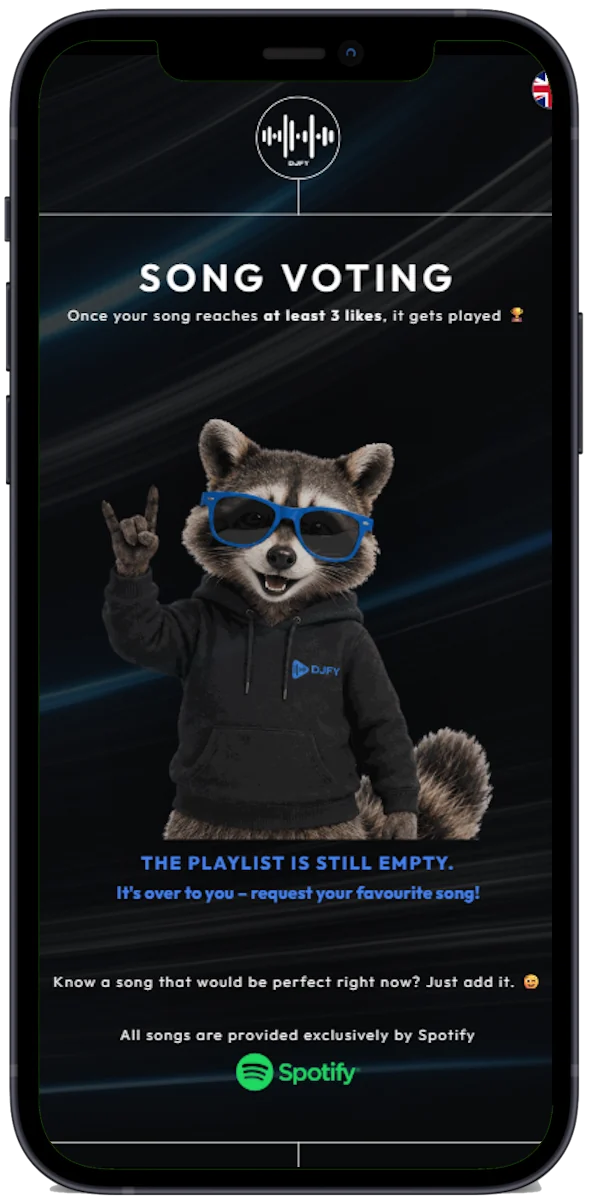
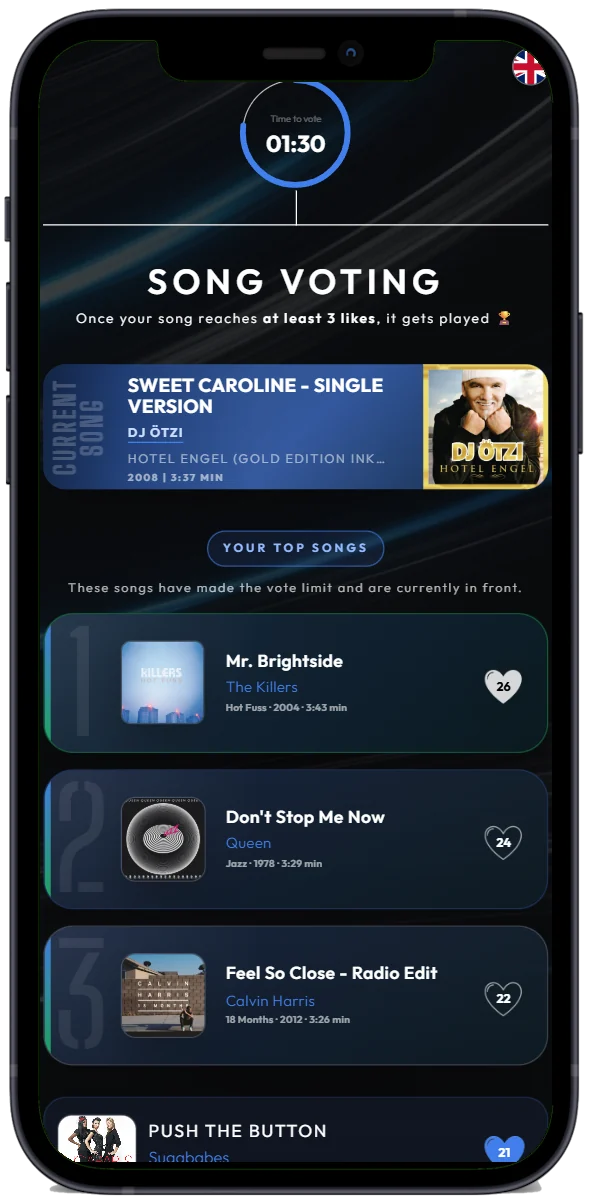
For your guests
Join instantly
No account, no Spotify: open the link or scan the QR code.
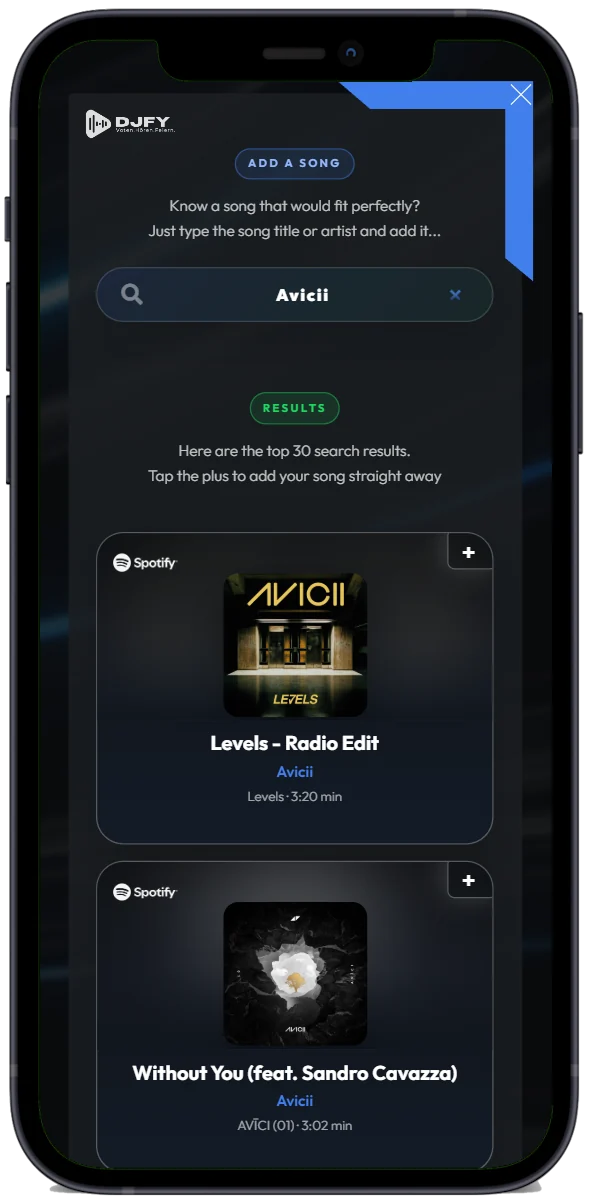
Find songs
Search for the right songs and add them to the wish list.
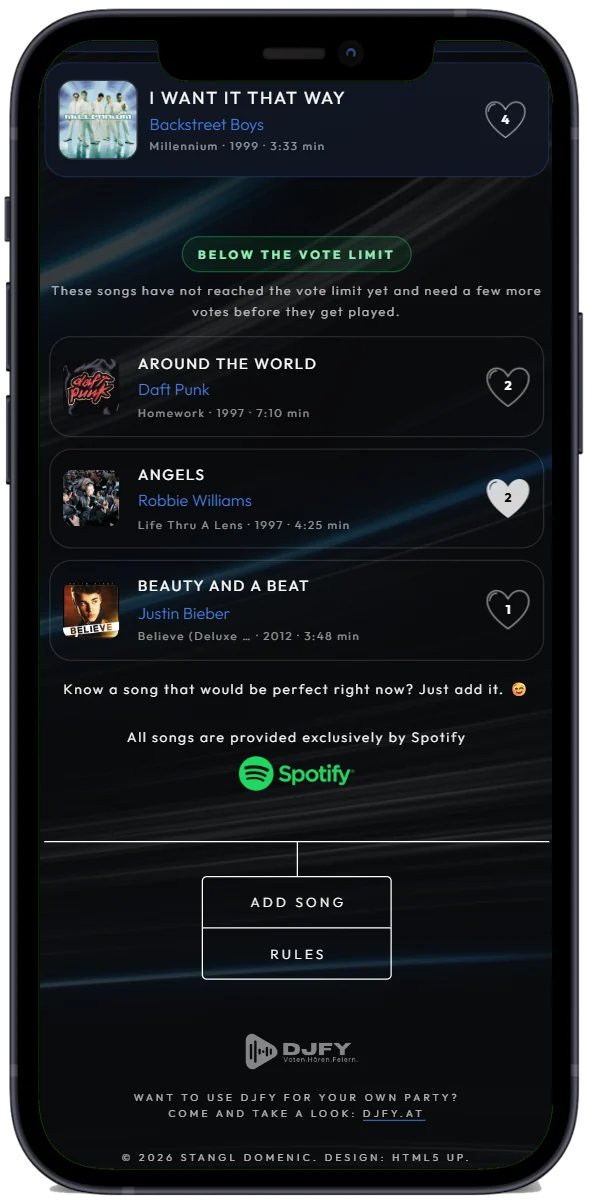
Vote together
The more votes a song gets, the sooner it plays.
Anonymous
Everyone sees the list – but not who requested what.
For you as the host
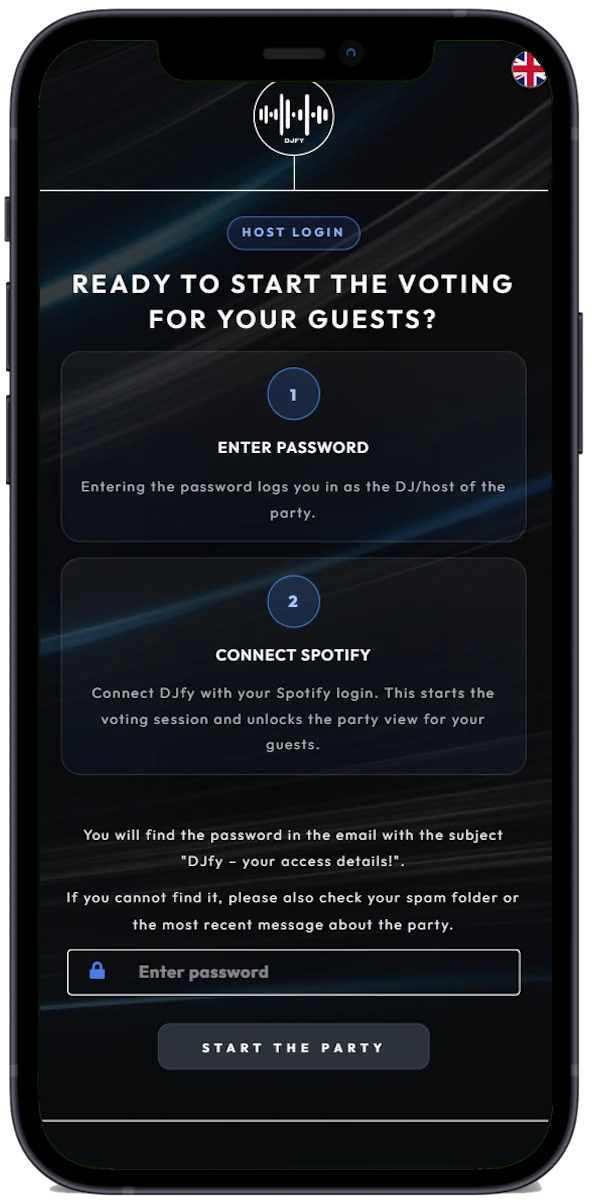
Connect Spotify
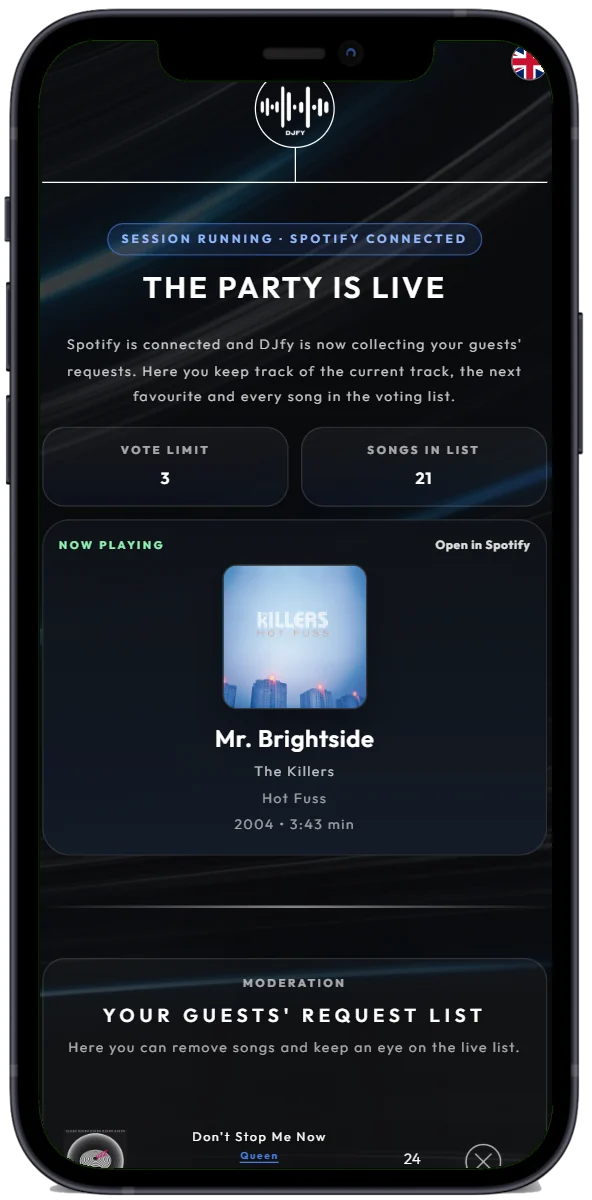
Connect your Spotify Premium – and your party is live.
Runs by itself
DJfy queues the favourite. Without one, your playlist keeps playing.
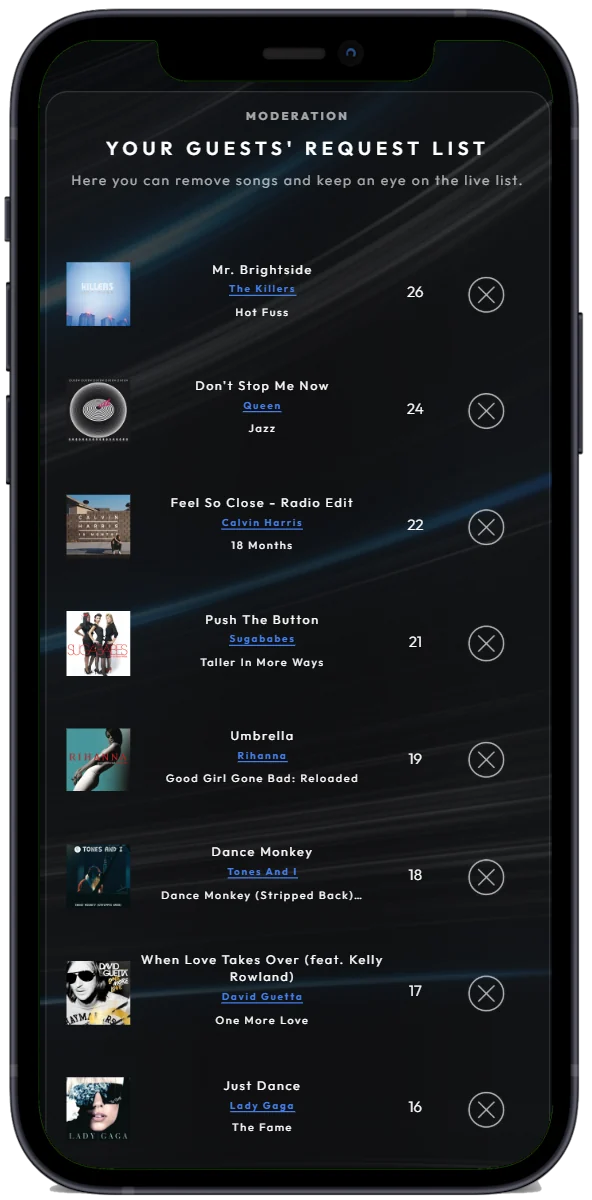
Stay in control
Add songs or remove requests that don’t fit.
Set the vote limit
Decide how many votes a request needs – live, at any time.
DJfy is available to your guests in 17 different languages.
Every guest can switch to their preferred language with one tap.
- English
- Čeština
- Dansk
- Deutsch
- Schweiz
- Español
- Français
- Hrvatski
- Italiano
- Magyar
- Nederlands
- Norsk
- Polski
- Português
- Română
- Slovenčina
- Suomi
- Svenska
How it goes
A night with DJfy
From ordering to the last song – Wolfgang shows you what to do, step by step.
-
PlanningOrder · a few clicks
You get your Party Pass
Wedding, birthday or garden party: DJfy fits wherever the music should suit the group – even after the band or DJ has called it a night.
 Wolfgang:
When you order, I need three things from you:
- the date of your party
- the time your party starts
- your party URL – this is where your guests will find you
-
−24 hDJfy login, connect Spotify, prepare a backup playlist
You receive your login details
About a day before your party, your party URL and login details arrive by email. Plenty of time to try everything out and get ready.
 Wolfgang:
Here’s how to get your party ready:
- Log in to the DJ area with the password from the email
- Connect Spotify Premium
- Start a playlist as your base – it plays as long as no request has enough votes
- My tip: set crossfade to 10 seconds in Spotify
-
19:00Party starts, guests arrive
One scan, and everyone’s in
No app, no login, no Spotify: your guests open the party URL and can search and request songs right away.
 Wolfgang:
To get everyone involved:
- Print the QR code and put it on the tables
- Or send the link to your guest group chat
- Make a quick announcement: “Request a song – and vote!”
-
21:30Dance floor
The group decides what plays
Every request counts as the first vote. 20 seconds before a song ends, DJfy puts the favourite into your Spotify queue – for a smooth transition.
 Wolfgang:
Now just let it run. Only one thing:
- Don’t skip in Spotify – Spotify doesn’t know about the wish list
- Want to move on faster? Use “Next Song” in the DJ area
-
01:00And you?
Part of the party instead of taking requests all night
You stay in control without needing to step in. Your DJ area stays active all night – until noon the next day.
 Wolfgang:
If you do want to step in:
- Adjust the vote limit live – lower means more requests get played
- Remove requests that don’t fit
- And then: back to the dance floor
Party Pass
One price.
One party.
Everything included.
No subscription, no hidden costs. Ideally, order at least 24 hours before your party.

- Your own party URL and QR code for your guests
- Your own DJ area – all night long
- Access by email about 24 hours before
- Personal support via WhatsApp

Try it, no strings attached
Try DJfy for 30 minutes
Connect your Spotify Premium and try song requests and voting at your own pace. You’ll get a feel for how DJfy gets your guests involved.
Open the trialQuestions
Ask Wolfgang
Tap a question – Wolfgang answers.
And if he’s stuck, the DJfy team will get back to you.
Anything else?
We reply personally.
Message us on WhatsApp or use the contact form.

How is DJfy different from apps like Spotify Jam, Festify or mixody?
How long does it take to get my access?
Do my guests need Spotify or a login?
Can I use DJfy without Spotify Premium?
Does DJfy work with Apple Music or YouTube Music?
What happens if no song gets enough votes?
Can guests see who requested which song?
Can I move my party to another date?
Can I still use DJfy tonight?
Can I test DJfy before the party?
Do I have to upload my prepared Spotify playlist to DJfy?
How long is my party active?
Can I block unsuitable songs?
About DJfy
Music at a party shouldn’t just play in the background
When guests request songs and shape the music together, you often get exactly the atmosphere that makes a night special. That’s what DJfy stands for: an interactive music experience that brings people together, creates a great atmosphere and lets you, the host, relax.

Domenic
Product, tech and development

Karina
Idea, brand and communication