


Add songs
Use the search to find any track in the Spotify catalogue.

How-to
DJfy is built so you and your guests can celebrate without any hassle. Here’s everything step by step – from preparation to the last song.
Create a Spotify playlist for your party. It plays whenever no request has enough votes – your base for the whole night.
No time? Just use one of our playlists as a starting point:






About 24 hours before your party you’ll receive an email with:
Open your party URL with /djarea at the end – so your-party.djfy.eu/djarea – and enter the password from the email.
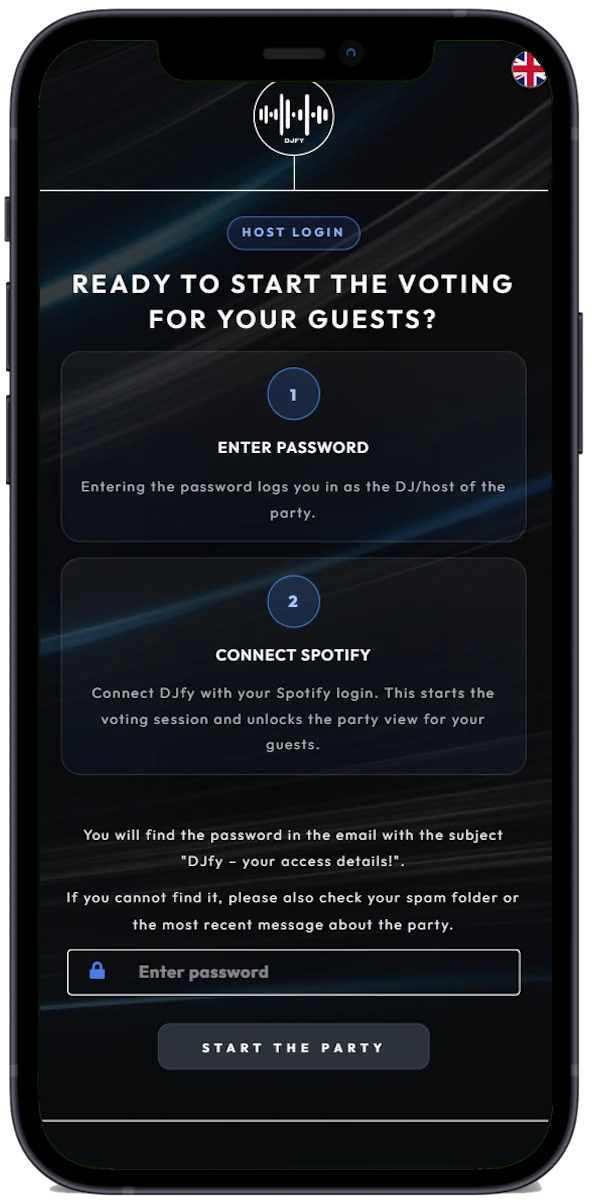
You’ll be redirected to the Spotify login, where you confirm the connection. To control the music, DJfy needs these permissions:
Start your playlist in Spotify – done. DJfy detects which song is playing. When a request reaches your vote limit, DJfy plays it after the current voting round.
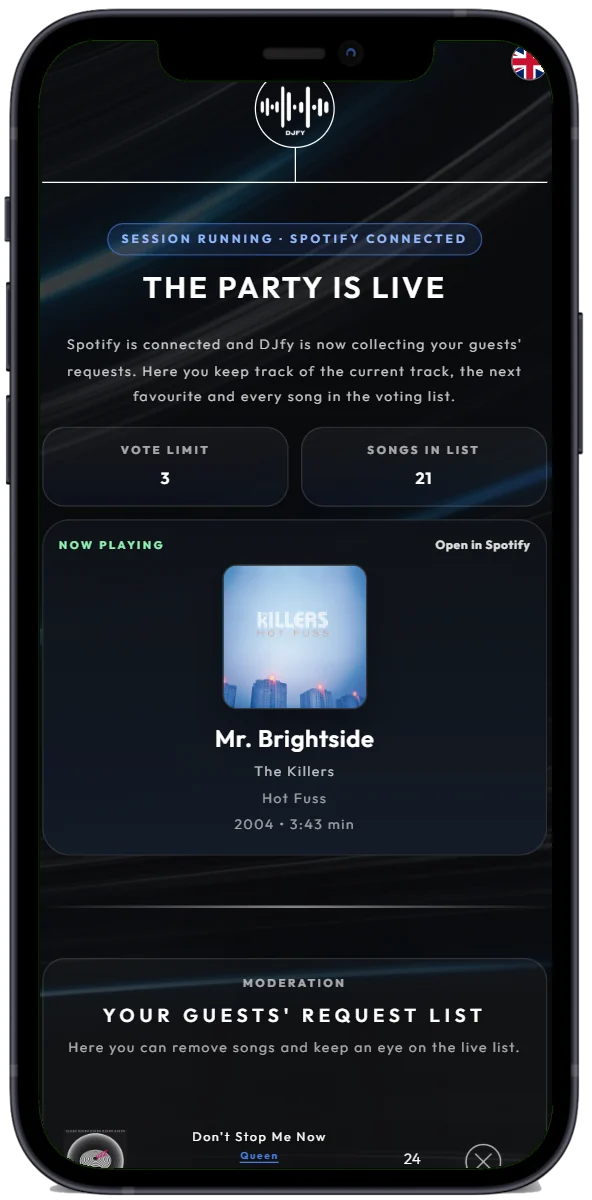
From now on your guests can request songs and vote. And this is what you can do in the DJ area at any time:
Use the search to find any track in the Spotify catalogue.
Requests that don’t fit the party? Simply take them off the list.
Under “CONFIG” you set how many votes a request needs – and can pick a preferred genre.
A filled heart means you’ve already voted. A blue heart marks your own requests.
Plays the song with the most votes right away. If the list is empty, the next track of your playlist follows.
If DJfy ever gets stuck, “HELP” resets the playback control. All requests are kept.

At your-party.djfy.eu/barview DJfy shows the current song and top requests on a big screen – with a QR code so guests can join in. Updates automatically.
For smooth transitions between songs:
Don’t skip in the Spotify app – Spotify doesn’t know about the wish list. If you want to move on faster, use “Next Song” in the DJ area.
If someone did skip a song in Spotify, the top song may not play. Tap “HELP” – after the current track, the top song plays again.
Towards the end of the party, set the vote limit to 1 under “CONFIG”. Then every request gets played – perfect for the final hour.

Try DJfy at your own pace beforehand – or message us, we’ll help personally.


