
You as the host
Spotify Premium
The technical basis so DJfy can search songs and add them to playback.

How it works
DJfy makes your party music interactive – no app, and nobody stuck at the DJ phone all night. You connect DJfy to Spotify, your guests scan a QR code, request songs and vote. Whatever gets the most votes plays next.
The idea
A simple loop that runs all night – and makes sure the majority decides, not the loudest person.
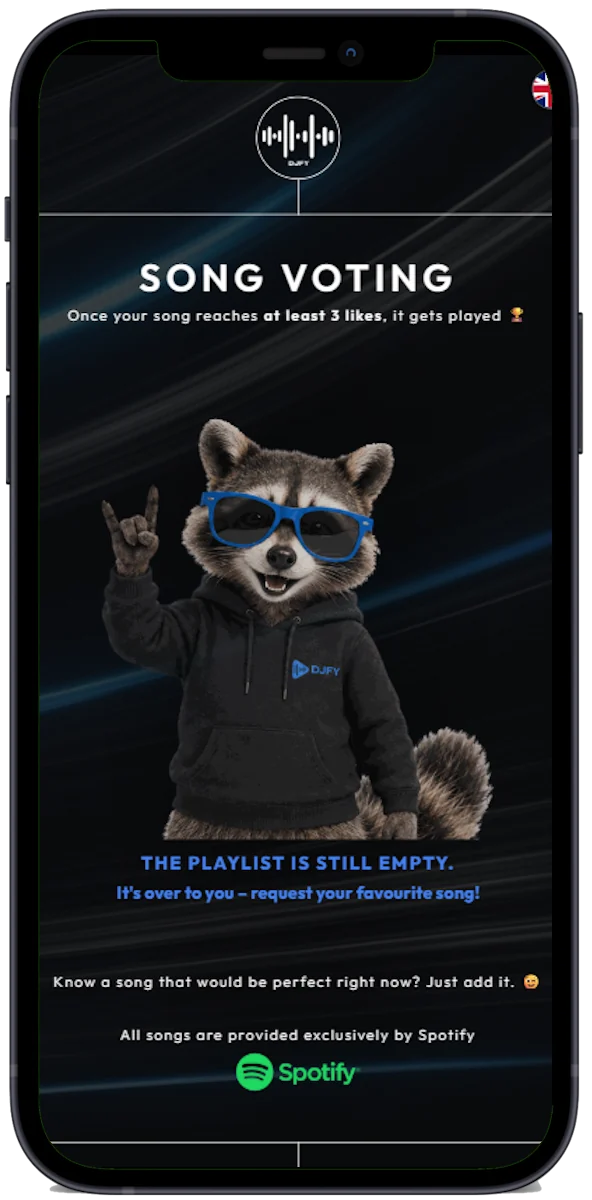
Scan the QR code, search a song, send it. In the browser, no account.
Everybody sees the requests and votes for their favourites.
Once a song has enough votes, it plays next – automatically.
Requirements
You as the host
The technical basis so DJfy can search songs and add them to playback.
Your guests
No Spotify account, no app, no sign-up – the browser is enough.
The base
When no requests come in, your playlist simply keeps playing. As soon as new votes arrive, DJfy takes over again.
DJfy is built specifically for Spotify – Apple Music and YouTube Music are not supported.
Steps
Create or update your party playlist on Spotify. It is the foundation for the night.



You receive an email with your own party address plus the link and password for the DJ area.

Open yourparty.djfy.eu/djarea, log in and connect DJfy to your Spotify account.
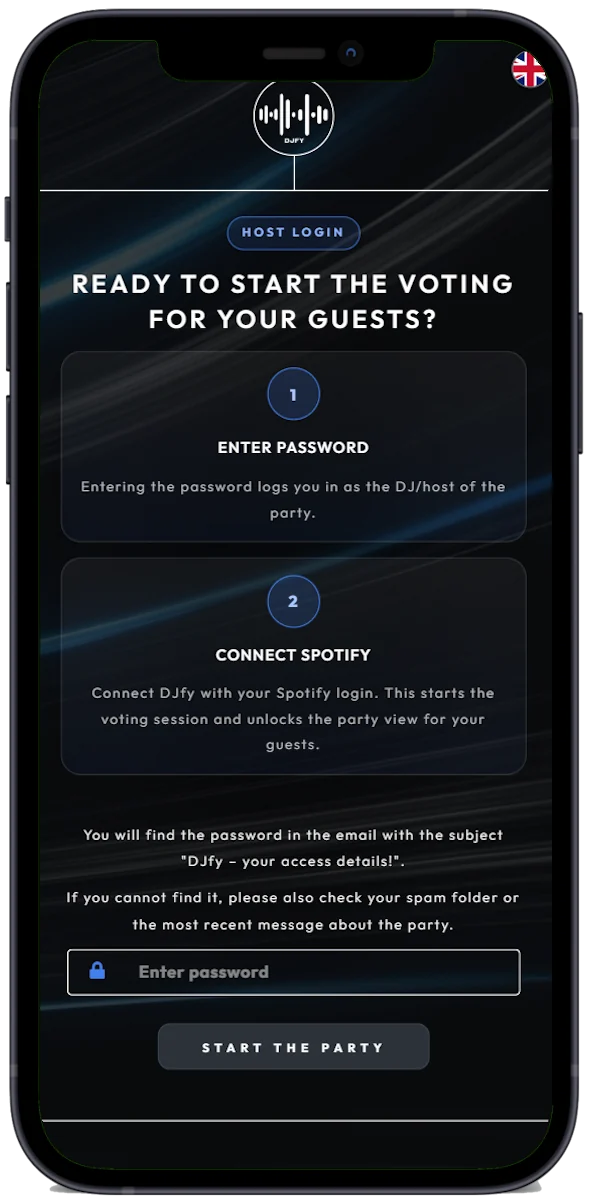
Share the party address via WhatsApp, a poster, a projector or a QR code. From now on everyone can request songs and vote.
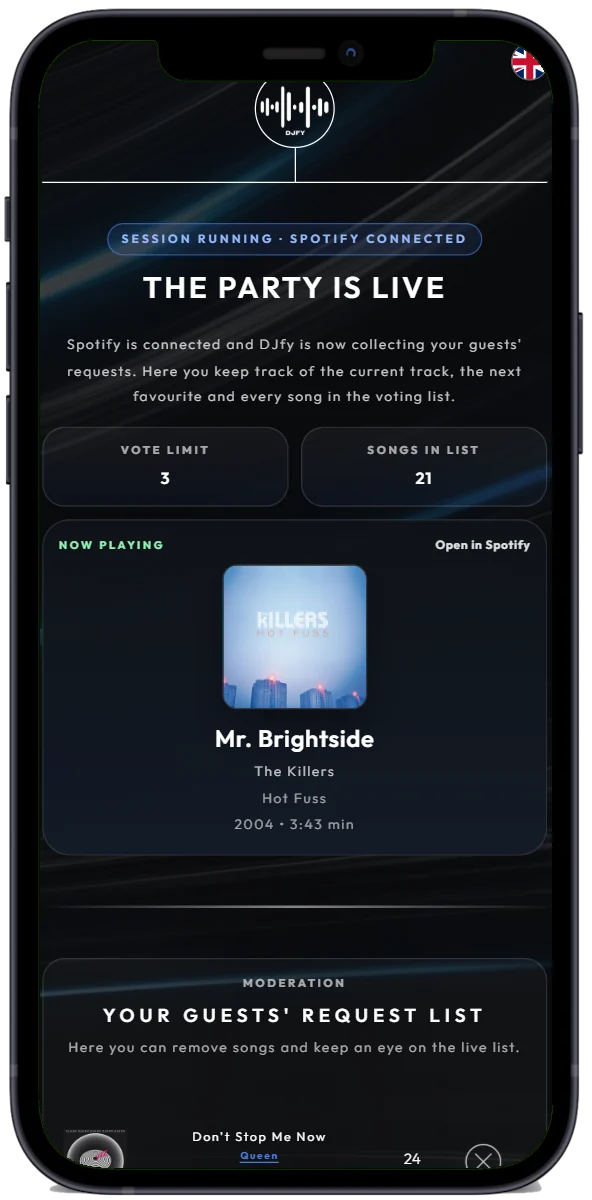
Start the music in Spotify. In the DJ area you see requests and votes in real time and can step in at any moment.
Barview
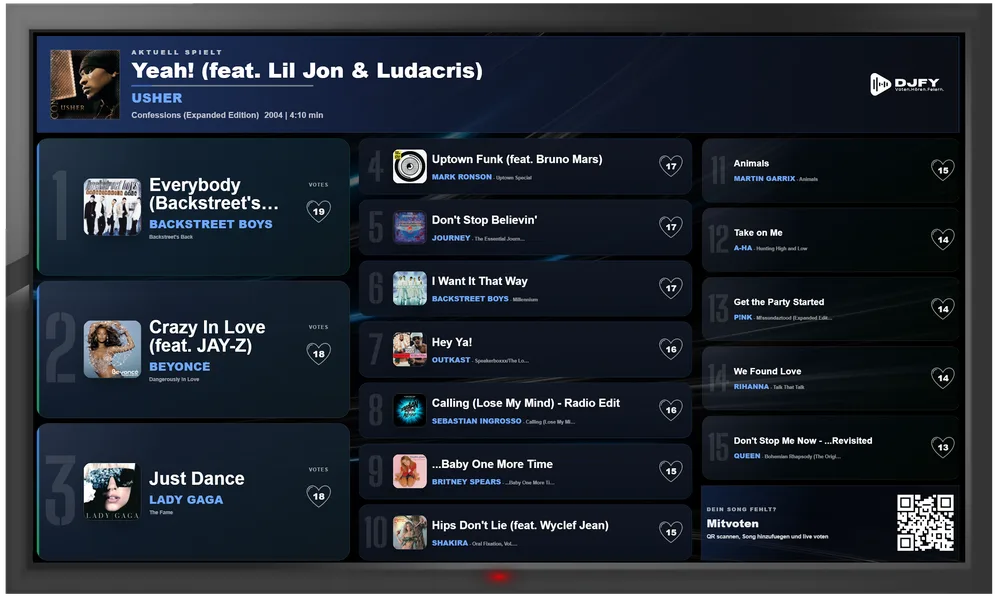
If the venue has a TV or projector, open yourparty.djfy.eu/barview. It shows the current top 20 plus a QR code and refreshes every 30 seconds. This noticeably boosts participation – guests understand right away how it works.
FAQ
By email the day before your party: your party address plus the link and password for the DJ area. If you order at short notice, get in touch – we’ll find a solution.
No. Your guests simply open the link or QR code in the browser, request songs and vote. Only you as the host need Spotify Premium.
Not automatically – Spotify’s interface doesn’t allow reliable blocking by genre. In practice, voting takes care of it: whatever doesn’t fit the mood gets few votes and drops down. You can also step in from the DJ area at any time.
No, that is exactly what DJfy is made for: requests are collected and ranked by votes. What the majority likes wins.
DJfy runs on the web, so a stable connection matters. A hotspot or a better-placed router often helps. Your Spotify playlist keeps playing even if fewer requests come in for a moment. At venues with poor reception, a short test beforehand is worth it.
Usually that isn’t needed: your playlist runs normally in Spotify as the stable base, and DJfy adds the interactive layer. Because this question comes up often, we are working on a feature that also shows playlist songs in DJfy.
Write to us – you’ll get a personal answer.

Test DJfy free and without obligation for 30 minutes: click the button, connect Spotify – off you go. For us, DJfy is more than a business; it is a passion project for unforgettable party moments.
Detailed guide for hosts